
Every business decision a company makes — which product to launch, which market to enter, which customers to retain — is backed by data. And behind that data, there is a Data Analyst making sense of it.
Data analytics has quietly become one of the most in-demand career tracks in India’s job market, across industries that have nothing to do with tech: banking, retail, healthcare, logistics, e-commerce, and government. According to LinkedIn’s Jobs on the Rise report, data-related roles have seen consistent year-over-year growth, with no sign of slowing down as more companies digitize their operations and demand evidence-based decisions at every level.
But here’s the challenge most beginners face: the internet gives you a list of 20 tools to learn and no clear idea of which ones matter, in what order, or how they connect to an actual job. This guide fixes that.
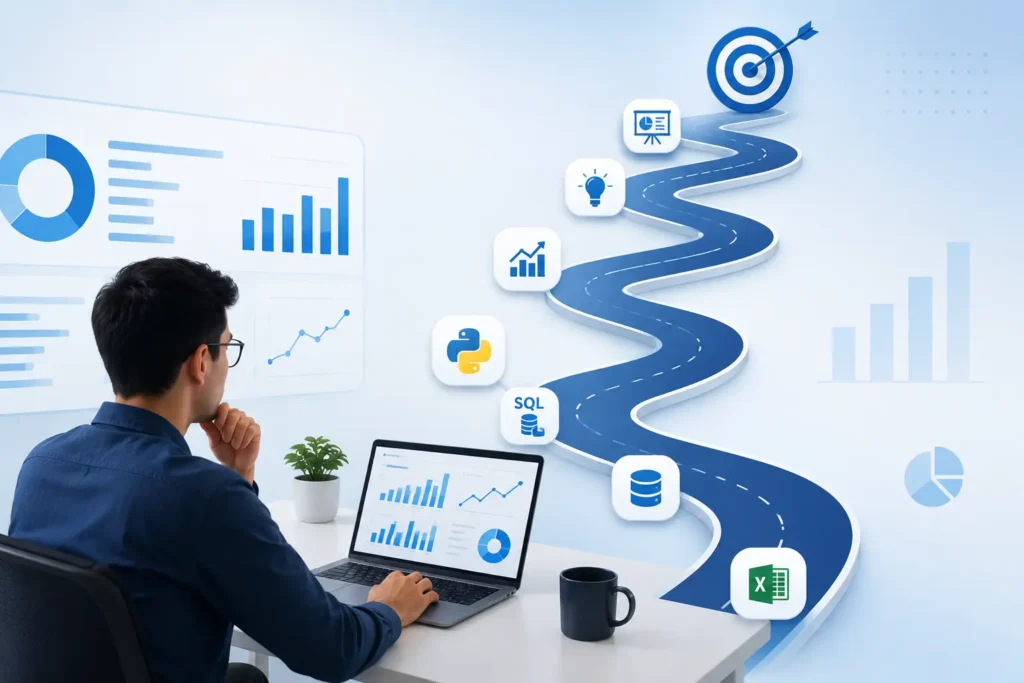
Whether you’re a student fresh out of college or a professional looking to switch tracks, this complete Data Analyst roadmap for 2026 gives you a clear, step-by-step path — from zero to your first analytics role.
In this guide, you’ll learn what a Data Analyst actually does day-to-day, every skill and tool you need to master, a realistic 9-month learning timeline, project ideas that build your portfolio, and what salaries look like at each stage of the career.
What Does a Data Analyst Actually Do?
Before you invest months learning a new skill set, it helps to understand what the job looks like in practice — not the job description, but the actual daily work.
A Data Analyst is the person organizations rely on to answer business questions with data. On a typical day, that might look like:
- Pulling sales data from a database to understand why a particular region underperformed last quarter
- Cleaning a messy dataset exported from a CRM system before it can be used for any analysis
- Building a dashboard in Power BI that lets the marketing team track campaign performance without needing to run reports manually
- Writing a report that explains — in plain language — what the numbers mean and what action the business should take
The work touches five core areas:
- Collecting data — from databases, APIs, spreadsheets, and external sources
- Cleaning and preparing data — fixing errors, filling gaps, standardizing formats
- Analyzing business performance — identifying what’s working, what isn’t, and why
- Building dashboards and reports — making findings visible and usable for decision-makers
- Communicating insights — translating numbers into clear, actionable recommendations
That last point matters more than most courses teach. The most technically skilled analyst in the room is only as valuable as their ability to explain what the data means to someone who didn’t study statistics.
Explore HTS India’s Data Analytics course
Skills You Need to Become a Data Analyst
Here’s an honest breakdown of the skills that matter in the job market — and how much each one is used in practice:
| Skill | Real-World Importance |
| Excel | Used in almost every analytics role, especially in non-tech industries |
| SQL | The single most-used technical skill across data jobs |
| Python | Increasingly expected at mid-level; essential for large datasets |
| Statistics | You need the concepts; you don’t need to derive the formulas |
| Data Visualization | Separates analysts who inform from those who go unheard |
| Problem Solving | The ability to frame the right question before touching the data |
| Communication | Often the deciding factor between two equally technical candidates |
| Business Understanding | Context is what makes analysis useful rather than just accurate |
One thing worth noting: companies don’t hire analysts who know every tool. They hire analysts who can solve real problems. The roadmap below builds toward that outcome, not toward a checklist.
The Complete Data Analyst Learning Roadmap — Step by Step
Stage 1: Microsoft Excel
Start here. Always.
This surprises many beginners who expect to start with Python or a database tool. But Excel is where a huge proportion of real-world business data lives — and it’s the tool you’ll use in your first job, your interviews, and your freelance projects alike.
What to learn, in this order:
- Sorting, Filtering, and Tables — organizing raw data into a usable format
- Conditional Formatting — spotting patterns and outliers visually
- Data Validation — ensuring data input quality
- Pivot Tables and Pivot Charts — the single most powerful Excel feature for business analysis. A well-built Pivot Table can answer most business questions in under a minute.
- Lookup Functions — VLOOKUP, INDEX & MATCH, and XLOOKUP for combining data from multiple sheets
- Logical Functions — IF, COUNTIF, SUMIF, AVERAGEIF for conditional calculations
- Text and Date Functions — for cleaning and transforming raw data
- Power Query (Basics) — Excel’s built-in data transformation tool. This one is increasingly important as datasets get larger and messier.
Why this matters: In most Indian companies outside of large tech firms, Excel is still the primary analytics tool. A candidate who walks into an interview and can build a Pivot Table dashboard from scratch is already ahead of most applicants.
Stage 2: SQL — The Most Important Technical Skill in Data Analytics
If you could only learn one technical skill for a data analytics career, SQL is it. Nearly every organization stores its business data in relational databases — and SQL is how you get it out, filter it, combine it, and make sense of it.
Start with these core topics:
- SELECT, WHERE, ORDER BY — the foundation of every query
- GROUP BY and HAVING — for aggregations and filtered summaries
- DISTINCT — removing duplicates from query results
- CASE WHEN — building conditional logic directly into queries
Then move to intermediate SQL:
- JOINs — combining data from multiple tables. INNER JOIN, LEFT JOIN, RIGHT JOIN, and FULL JOIN each serve different purposes. Understanding the difference between them is one of the most common interview topics.
- UNION — stacking results from multiple queries
- Subqueries — queries nested inside other queries
Then tackle advanced SQL:
- Common Table Expressions (CTEs) — making complex queries readable and maintainable
- Window Functions — ROW_NUMBER(), RANK(), LAG(), LEAD(), SUM() OVER() — these are what separate junior from mid-level SQL writers
- Views — saving complex queries as reusable virtual tables
- Stored Procedures — a basic understanding for working within enterprise database environments
Practice databases to use: MySQL, PostgreSQL, or SQL Server. All three are widely used in industry. Start with MySQL (free and well-documented) and pick up the others as needed.
SQL for beginners — getting started guide → SQL Course Beginner to Advanced
Stage 3: Statistics for Data Analysis
You do not need to be a mathematician to become a Data Analyst. But you do need to understand statistical concepts well enough to interpret data correctly — and to avoid common analytical mistakes that lead to wrong conclusions.
Core statistics every analyst must know:
- Measures of Central Tendency — Mean, Median, Mode. Know when each is the right choice (and when the mean is misleading due to outliers)
- Measures of Spread — Range, Variance, Standard Deviation. These tell you how consistent or variable your data is
- Correlation — understanding the relationship between two variables, and why correlation is not causation
- Percentiles — essential for understanding distributions (salary benchmarks, customer ranking, test scores)
- Probability Basics — the foundation for understanding sampling and uncertainty
- Sampling — how to work with data subsets and when they’re representative of the whole
- Hypothesis Testing (Basics) — the logic behind A/B testing and data-driven decision making
The goal here isn’t to pass a statistics exam — it’s to reason correctly about data when it’s ambiguous, incomplete, or surprising.
Stage 4: Python for Data Analysis
Python is increasingly expected for data analyst roles, particularly at tech companies, startups, and any role dealing with datasets too large for Excel to handle comfortably.
Python core language (learn these first):
- Variables, data types, operators
- Loops and conditionals
- Functions
- Lists and dictionaries
- File handling
- Exception handling
- OOP basics
Essential Python libraries for data analysts:
| Library | What You Actually Use It For |
| NumPy | Arrays, mathematical operations, the backbone of Pandas |
| Pandas | Reading CSVs, cleaning data, filtering, grouping, merging — your daily driver |
| Matplotlib | Building charts and graphs from Python |
| Plotly | Interactive charts for dashboards and presentations |
| SciPy | Statistical tests and scientific computing |
| OpenPyXL | Reading and writing Excel files directly from Python |
| Requests | Pulling data from APIs |
| BeautifulSoup | Scraping data from websites when no API exists |
Python for beginners — where to start → Python course
Stage 5: Data Cleaning
This is the stage most tutorials skip — and it’s the one that takes up 60–80% of a real analyst’s working time.
Raw data is almost never ready to analyze. It arrives with missing values, duplicate entries, inconsistent formatting (dates as text, currency with symbols, names in mixed case), outliers that skew results, and fields that need to be split or merged.
Core data cleaning skills to master:
- Removing duplicates — identifying and eliminating repeated records
- Handling missing values — deciding whether to delete, fill, or flag them based on context
- Fixing inconsistent formats — standardizing date formats, text casing, numeric types
- Outlier detection — identifying and investigating data points that don’t fit the pattern
- Data transformation — reshaping data structures so they’re usable (wide to long, pivoting, unpivoting)
- Merging datasets — combining data from multiple sources on a shared key
The analyst who is fast and reliable at data cleaning is the one who gets trusted with the important projects.
Stage 6: Data Visualization
Analysis without visualization is a missed opportunity. A well-designed chart communicates in seconds what a table of numbers takes minutes to decode.
Charts every analyst should know how to choose and build:
- Bar Chart — comparing categories
- Line Chart — showing trends over time
- Pie Chart — proportional breakdowns (use sparingly; bar charts are usually clearer)
- Scatter Plot — exploring relationships between two variables
- Histogram — understanding the distribution of a single variable
- Heat Map — spotting patterns across two categorical dimensions
- Funnel Chart — visualizing conversion through a process (sales pipeline, onboarding steps)
- Waterfall Chart — explaining how a value changed from one period to another
- KPI Dashboard — combining multiple metrics into a single management view
The rule that professional analysts follow: choose the chart that answers the question, not the one that looks most impressive.
Stage 7: Power BI (and Tableau)
Power BI is Microsoft’s business intelligence platform and the most widely used dashboard tool in Indian corporate environments. Learning Power BI transforms you from someone who analyzes data into someone who delivers self-service analytics to an entire organization.
What to learn in Power BI:
- Data Import — connecting to Excel, SQL Server, MySQL, CSV, and cloud sources
- Power Query — cleaning and transforming data inside Power BI before modeling it
- Data Modeling — building relationships between multiple tables (the foundation of accurate dashboards)
- DAX (Data Analysis Expressions) — Power BI’s formula language for creating calculated columns and measures. Even basic DAX fluency sets you apart significantly.
- Dashboard Design — building reports that are intuitive, not just technically correct
- Publishing Reports — sharing dashboards with stakeholders via the Power BI service
- Row-Level Security — controlling who sees which data in shared reports
Tableau is the other major visualization tool — more popular in international markets and large consulting firms. If you’re aiming for MNCs or analytics consulting, Tableau is worth learning alongside Power BI.
Stage 8: Business Analytics
Technical skills get you into the room. Business understanding determines your impact once you’re there.
Business analytics means asking the right questions before touching the data. It means knowing which metric actually matters for a sales team (not just revenue, but conversion rate, deal velocity, and churn). It means understanding why a spike in web traffic doesn’t automatically mean the campaign worked.
Build business context by:
- Working on industry-specific projects (retail, finance, healthcare, HR)
- Reading business cases and company reports
- Learning the KPIs that matter in different functions — sales, marketing, operations, finance
Stage 9: Build Projects and Your Portfolio
This is the most important stage — and the most skipped.
No recruiter has ever hired someone because of the courses they completed. They hire based on what you’ve built. Projects are your proof of work.
SQL Projects to build:
- Sales Performance Analysis — ranking products and regions by revenue
- Customer Analysis — segmentation by purchase behavior and lifetime value
- Employee Database — querying workforce data across departments
- Retail Analytics — inventory performance and demand patterns
- Banking Database — transaction analysis and fraud flag identification
Python Projects to build:
- Sales Data Analysis with Pandas
- Employee Attrition Analysis — identifying patterns in turnover
- E-commerce Customer Segmentation
- Financial Data Dashboard with Plotly
- HR Analytics — analyzing workforce metrics
Dashboard Projects to build:
- Sales Dashboard in Power BI (the most requested portfolio project in interviews)
- HR Dashboard showing headcount, attrition, and hiring trends
- Financial Dashboard with revenue, cost, and profit breakdowns
- Marketing Dashboard tracking campaign ROI and channel performance
- Hospital Dashboard — patient volume, bed occupancy, department performance
Where to publish your portfolio:
- GitHub — SQL scripts, Python notebooks, README files explaining each project
- Power BI / Tableau Public — shareable links to your dashboards
- LinkedIn — post your project results as short case studies (what question you answered, what you found, what you’d recommend)
- Personal Portfolio Website — optional but sets you apart significantly
The quality rule: Three well-documented, end-to-end projects beat ten half-finished ones. Pick three industries you find genuinely interesting and go deep.
Stage 10: Interview Preparation
Start preparing for interviews from Month 8. These are the questions that consistently appear across Data Analyst interviews in India:
SQL Interview Questions:
- What is the difference between INNER JOIN and LEFT JOIN? Give an example.
- How do you find duplicate records in a table?
- What is the difference between GROUP BY and ORDER BY?
- What are window functions? When would you use RANK() vs DENSE_RANK()?
- Explain what a CTE is and why you’d use it over a subquery.
- What is normalization? When would denormalization be preferred?
Excel and Power BI Questions:
- What is a Pivot Table and how do you use it?
- Explain the difference between VLOOKUP and XLOOKUP.
- What are DAX measures in Power BI?
- How is Power Query used for data cleaning?
Analytical Thinking Questions:
- How do you handle missing values in a dataset?
- You notice a sudden spike in sales last month. How would you investigate it?
- Which chart would you choose to show sales trends over 12 months, and why?
- What is data cleaning and why is it important?
Data Analyst Career Paths and Job Roles
A Data Analyst qualification doesn’t lock you into one job title. These are the directions your career can grow in:
- Data Analyst — the core role: querying, cleaning, analyzing, reporting
- Business Analyst — focus on translating business problems into data requirements
- BI Developer — specializing in building dashboards and reporting infrastructure
- Data Engineer (progression) — moving toward building data pipelines and warehouses
- Data Scientist (progression) — moving toward predictive modeling and machine learning
- Product Analyst — analyzing user behavior to improve digital products
- Marketing Analyst — campaign performance, attribution, and customer data
- Financial Analyst — financial modeling, forecasting, and performance reporting
The analyst career path is one of the few in tech where domain expertise in a specific industry (healthcare, finance, retail) compounds into a significant salary premium over time.
Data Analyst Salaries in India (2026)
| Experience Level | Average Annual Salary |
| Fresher (0–1 year) | ₹3 – 6 LPA |
| Junior Analyst (1–3 years) | ₹6 – 10 LPA |
| Mid-level Analyst (3–5 years) | ₹10 – 18 LPA |
| Senior Data Analyst (5+ years) | ₹18 – 30+ LPA |
What pushes salaries toward the higher end:
- Fluency in Power BI or Tableau combined with SQL and Python
- Domain expertise in finance, e-commerce, or healthcare
- Experience building end-to-end reporting systems, not just ad hoc analysis
- Strong communication skills — analysts who present well get promoted faster
Realistic 9-Month Learning Timeline
This timeline assumes 2–3 focused hours per day with projects running alongside theory from Month 5 onward.
| Month | Focus Area | Key Milestone |
| Month 1 | Microsoft Excel | Build an Excel dashboard from scratch |
| Month 2 | SQL Fundamentals | Write 20+ queries on real datasets |
| Month 3 | Statistics | Apply concepts in Excel and SQL projects |
| Month 4 | Python Basics | Write scripts to automate data tasks |
| Month 5 | NumPy and Pandas | Clean and analyze a real-world dataset |
| Month 6 | Data Visualization | Build charts in Python and Excel |
| Month 7 | Power BI or Tableau | Publish your first dashboard publicly |
| Month 8 | Projects and Portfolio | Complete 3 end-to-end projects on GitHub |
| Month 9 | Resume and Interview Prep | Mock interviews, portfolio polish, job applications |
FAQ
Do I need a mathematics or statistics degree to become a Data Analyst?
No. A degree in math or statistics helps but is not required. What you need is a working understanding of core statistical concepts — mean, median, standard deviation, correlation, and basic probability. These are learnable in 4–6 weeks of focused study without a formal mathematics background. What matters far more to employers is SQL fluency and the ability to deliver clean, accurate analysis.
Is Python mandatory for a Data Analyst role?
Python is not always required for entry-level roles, especially in industries like banking, retail, and HR where Excel and SQL cover most of the work. However, Python is increasingly listed in job descriptions for mid-level analyst roles, and learning it early gives you a significant long-term advantage. For roles at tech companies and startups, Python is effectively non-negotiable.
Which is better for a Data Analyst — Power BI or Tableau?
Both are excellent. Power BI is more widely used in Indian corporate environments, integrates natively with Microsoft products, and is more cost-effective for companies already using Office 365. Tableau has stronger adoption in MNCs, consulting firms, and international companies. If you’re targeting Indian corporates, start with Power BI. If you’re targeting global companies or consulting, learn Tableau alongside it.
How many projects should I build before applying for jobs?
Quality matters far more than quantity. Three genuinely strong projects — each with clean code, clear documentation, a readable README, and a summary of what insight you uncovered — will outperform ten rushed, half-explained projects. Choose projects from industries you understand well; domain familiarity shows in the quality of your analysis.
How long does it realistically take to become a job-ready Data Analyst?
With 2–3 hours of consistent daily practice, most beginners reach a job-ready standard in 7–9 months. The timeline extends when learners spend too long on theory and not enough time on projects, or skip data cleaning and business context in favor of only learning tools. The 9-month roadmap in this guide is structured to avoid both of those common mistakes.
Conclusion
Data analytics is not a trend — it’s a foundational shift in how every serious business operates. Organizations that can’t interpret their own data are at a competitive disadvantage, which means skilled Data Analysts are valuable in every sector, at every company size, across every Indian city.
The complete roadmap comes down to this: start with Excel, master SQL, build statistical reasoning, add Python, learn to visualize clearly, get fluent in Power BI, and prove everything with real projects on a public portfolio.
None of this requires a computer science degree. It requires consistency, the right sequence, and the discipline to build things rather than just watch tutorials.
At HTS India, our Data Analytics course is built around exactly this roadmap — structured, project-driven, and designed to take you from your first Pivot Table to a portfolio that gets interviews. Our students learn from mentors with real industry experience, and every module ends with a project that goes straight into your portfolio.
Ready to start your data analytics career the right way? Schedule a Free Career Counseling Session at HTS India’s Kalkaji Center