
A developer who only writes CRUD apps in 2026 is like a designer who only knows MS Paint. The gap between what hiring companies expect and what most bootcamps teach has never been wider — and AI integration in web applications is sitting right at the center of that gap.
According to GitHub’s 2024 Octoverse report, over 92% of developers at surveyed companies now use AI coding tools in some form. But using Copilot to autocomplete a function is the baseline. What separates junior developers from those landing ₹8–15 LPA roles is the ability to build AI-powered features from scratch — semantic search, agentic workflows, real-time streaming UIs.
In this article, you’ll learn exactly what AI-driven development means in practice, how to integrate AI into full-stack web applications, which technical skills you need, and the most common pitfalls to avoid.
What “AI-Driven Development” Actually Means in 2026
The phrase gets thrown around loosely, so let’s define it clearly. There are two distinct concepts developers need to understand:
AI-driven development refers to how you build — using AI tools (like GitHub Copilot, Cursor, or Claude Engineer) to write, test, debug, and refactor your own code faster and more reliably.
AI integration in web applications refers to what you build — embedding intelligent, AI-powered features directly into your product so it can understand language, reason over data, or take autonomous actions.
Both skills matter. But the second one — integrating AI into what you ship — is the rarer, more valuable, and more poorly taught of the two.
The key insight: Every web application built today has the option to become an intelligent application. The technical barriers — expensive compute, specialized expertise, complex infrastructure — have dropped dramatically. What remains is knowing how.
How AI Tools Are Reshaping the Developer Workflow
From Syntax Writer to System Architect
Modern AI coding assistants like GitHub Copilot (powered by GPT-4o) and Cursor go far beyond tab-completion. They now handle:
- Multi-file context: Suggesting refactors that span your entire codebase, not just the open file
- Test generation: Writing unit tests automatically based on your function logic
- Debugging pipelines: Identifying structural bugs and proposing targeted fixes with explanations
The developer’s role is shifting. Less time is spent on syntax. More time is spent on system design, prompt engineering, and architectural decisions. A developer who understands why to structure an API a certain way is now far more valuable than one who can simply type it out.
Automated Testing and Code Quality
AI-assisted testing tools like Copilot’s /tests command or dedicated tools like Codium AI can generate comprehensive test suites from function signatures alone. This has practical consequences:
- Code review cycles get shorter
- Bugs surface earlier in the pipeline
- Teams ship with more confidence at higher velocity
Learn test-driven development – Python
Core Strategies for AI Integration in Web Applications
This is where theory meets implementation. To build AI-powered features, you need to understand the architectural decisions that underpin them.
Client-Side vs. Server-Side AI: Choosing the Right Approach
Not all AI processing needs to go to the cloud. In 2026, developers choose based on the following tradeoffs:
| Approach | Best For | Examples |
| Client-side (in-browser) | Low-latency, privacy-sensitive tasks | Text classification, autocorrect, local embeddings using Transformers.js or WebGPU |
| Server-side (cloud API) | Complex reasoning, large context windows | GPT-4o, Claude Sonnet, Gemini for chat, summarization, structured output |
For most production applications, a hybrid model is standard: lightweight classification or embedding happens in the browser, while generation and reasoning calls go to the cloud API.
The Modern Full-Stack AI Architecture
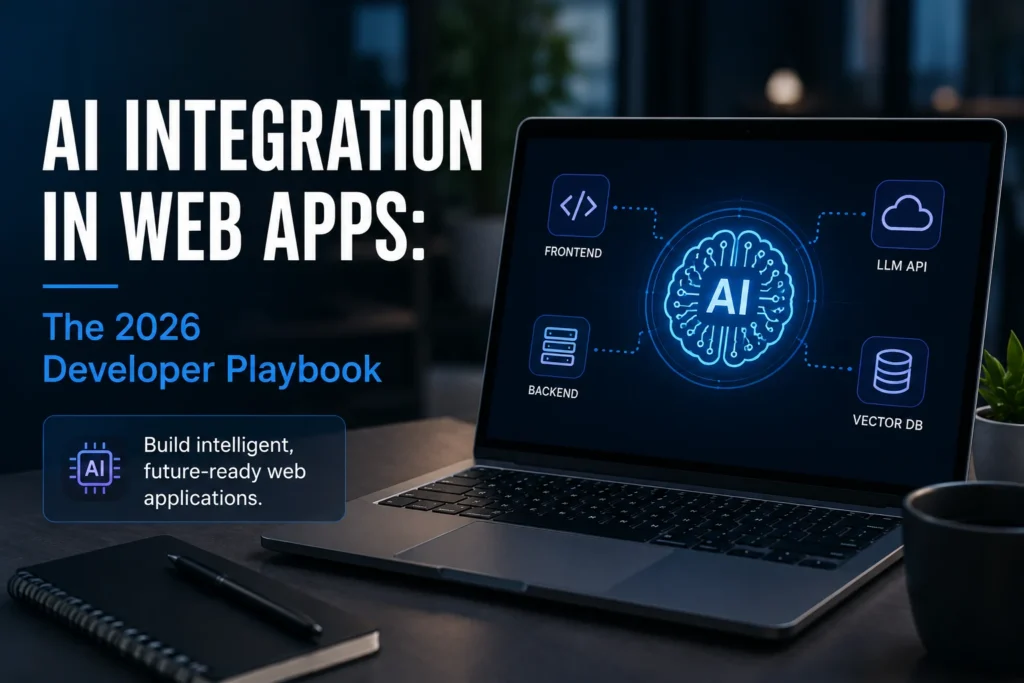
A production AI web application today typically involves four layers:
- Frontend (React/Next.js) — Renders streaming text responses, manages loading states, handles real-time UI updates via Server-Sent Events (SSE)
- Backend API (Node.js / Python / FastAPI) — Acts as a secure proxy between your client and the LLM provider, manages authentication, rate limiting, and prompt construction
- Primary Database (PostgreSQL / MongoDB) — Stores structured application data
- Vector Database (Pinecone / Weaviate / pgvector) — Stores embeddings for semantic search and memory features
Full-Stack architecture fundamentals → MERN Stack Development
The Rise of Agentic Features
The most sought-after skill in 2026 is building agentic workflows — features where the AI doesn’t just respond to queries, it takes actions.
A classic chatbot answers: “What’s in stock?” An agentic feature does: “You’re running low on 3 SKUs. I’ve drafted the reorder form and scheduled it to send at 9 AM tomorrow. Want to review?”
Building this requires understanding:
- Tool use / function calling: Giving an LLM access to defined functions it can invoke (query a database, send an email, call an API)
- Multi-step reasoning: Chaining several actions together with conditional logic
- Human-in-the-loop design: Knowing when the AI should pause and ask for confirmation
Anthropic’s documentation on tool use and agentic patterns
Key Use Cases Transforming Web Applications Today
Semantic Search That Actually Understands Users
Traditional search matches keywords. Semantic search understands meaning.
When a user types “affordable laptops for students” into an e-commerce platform built with semantic search, the system understands the intent — even if no product description contains that exact phrase. It does this by converting both the query and product descriptions into vector embeddings (numerical representations of meaning) and finding the closest matches in high-dimensional space.
This is now a baseline expectation for modern e-commerce platforms, enterprise portals, and documentation sites.
Predictive UI and Dynamic Interfaces
Leading SaaS products are already shipping dashboards that adapt based on individual user behavior. A project management tool might learn that a particular user always checks the “blocked tasks” view first thing Monday morning — and surface it automatically.
This is built using:
- Behavioral event tracking (what the user clicks, in what order)
- Lightweight ML classification to identify patterns
- Feature flag systems to serve personalized layouts
Automated Content Personalization Engines
News portals, learning platforms, and content apps now serve dynamically curated feeds — not just by category (as in the Netflix recommendation paradigm) but by generating contextual summaries, filling content gaps on the fly, and tailoring the reading level to the user profile.
Google’s Helpful Content System guidelines — understanding AI and content quality
The Technical Stack You Need to Master
To build AI-powered web applications professionally, these are the layers you need to be comfortable with:
Frontend
- React or Next.js for building streaming-compatible UI components
- Handling SSE (Server-Sent Events) to render token-by-token responses in real time
- State management for loading skeletons, error boundaries, and partial content states
Backend
- Node.js (Express/Fastify) or Python (FastAPI) for building secure API middleware
- API key management using environment variables and secrets management (never expose LLM API keys client-side)
- Rate limiting and caching to control costs and prevent abuse
Vector Infrastructure
- Understanding embedding models (e.g., OpenAI text-embedding-3-small, Sentence Transformers)
- Basic operations: upsert, query, and delete on a vector index
- When to use dedicated vector DBs (Pinecone, Weaviate) vs. pgvector as a Postgres extension
Python for AI Pipelines
While JavaScript handles the frontend and much of the backend, Python remains the dominant language for AI/ML pipelines — data preprocessing, fine-tuning, building retrieval-augmented generation (RAG) systems, and orchestrating multi-agent workflows using frameworks like LangChain or LlamaIndex.
learn Python for AI → Python with AI & ML
Challenges and Best Practices Every Developer Should Know
Latency Is a UX Problem First
AI API calls can take 2–8 seconds for complex requests. To prevent users from staring at a blank screen:
- Stream responses instead of waiting for the full completion
- Use skeleton loaders that match the expected content shape
- Optimistic UI: Show a placeholder response structure immediately while the real response loads
Protecting User Data
When user input goes to a third-party LLM API, developers carry responsibility for what gets sent. Best practices include:
- PII scrubbing: Strip personally identifiable information before sending to the model
- System prompt isolation: Never expose your system prompt logic client-side
- Opt-out mechanisms: Give users visibility into when AI is being used and how their data is handled
Managing API Costs at Scale
It’s easy to build an AI feature that costs ₹5 per request during testing and ₹2 lakh per month in production. Key controls:
- Cache common queries — if 40% of users ask the same question, store the answer
- Choose the right model for the task — GPT-4o is overkill for simple classification; use smaller, cheaper models where reasoning depth isn’t needed
- Set hard token limits on user inputs and outputs
FAQ
What is the difference between AI-driven development and AI integration in web apps?
AI-driven development means using AI tools like GitHub Copilot or Cursor to write, test, and debug your own code faster. AI integration refers to embedding AI-powered features — like semantic search, chatbots, or agentic workflows — directly into the application you’re building for end users. Both skills are now expected from senior developers, but AI integration is rarer and more highly compensated.
Do I need to know machine learning to integrate AI into web apps?
No. Most AI integration work uses pre-trained models via API — you don’t train models from scratch. What you do need is a solid understanding of REST APIs, prompt engineering, how vector databases work, and how to manage data flow between your frontend, backend, and AI services. A strong full-stack foundation plus targeted AI tooling knowledge gets you very far.
Is Python or JavaScript better for AI web development?
Both are essential. JavaScript (specifically React/Next.js and Node.js) handles the frontend and much of the API layer. Python is the dominant language for building AI pipelines, working with ML frameworks, and fine-tuning models. A full-stack developer who is strong in both JavaScript and Python has a significantly wider range of AI projects they can build.
What is a vector database and why do developers need to know about it?
A vector database stores data as numerical representations (embeddings) that capture semantic meaning. This is what makes features like “search by meaning” possible — rather than matching exact keywords, the database finds conceptually similar content. Tools like Pinecone, Weaviate, and pgvector are increasingly standard components in modern AI-integrated applications.
How is AI integration changing what companies hire developers for?
Hiring expectations have shifted significantly. Job postings for mid-to-senior full-stack roles increasingly list “experience with LLM APIs,” “RAG system development,” or “agentic workflow design” as requirements rather than nice-to-haves. Developers who can build end-to-end AI features — not just use AI tools to write code — are among the most in-demand engineers in the current market.
Conclusion
AI integration in web applications is no longer a specialization — it is a core expectation for any developer who wants to stay competitive in 2026 and beyond. The developers who will dominate the next five years aren’t those who use AI tools to write faster code. They’re the ones who understand how to architect, build, and ship AI-powered features that create real value for users.
The stack is learnable. The concepts, while new, build directly on full-stack fundamentals you may already know. What matters now is getting deliberate, structured exposure to the right skills — in the right order, with real projects, not just tutorials.
At HTS India, our Python with AI & ML and MERN Stack Development tracks are built specifically for this shift — combining strong foundational training with hands-on AI integration projects, guided by industry-experienced mentors.
Ready to build the skills companies are actually hiring for? Schedule a Free 30-Minute Career Counseling Session at our Kalkaji Center


